
Write an announcement
An announcement is a short message at the top of the dashboard of the people you choose: an outage tonight, a deadline, a change. It shows a number of sign-ins, or until each person dismisses it.
Steps
-
In the sidebar, choose Announcements under Platform, then New announcement.
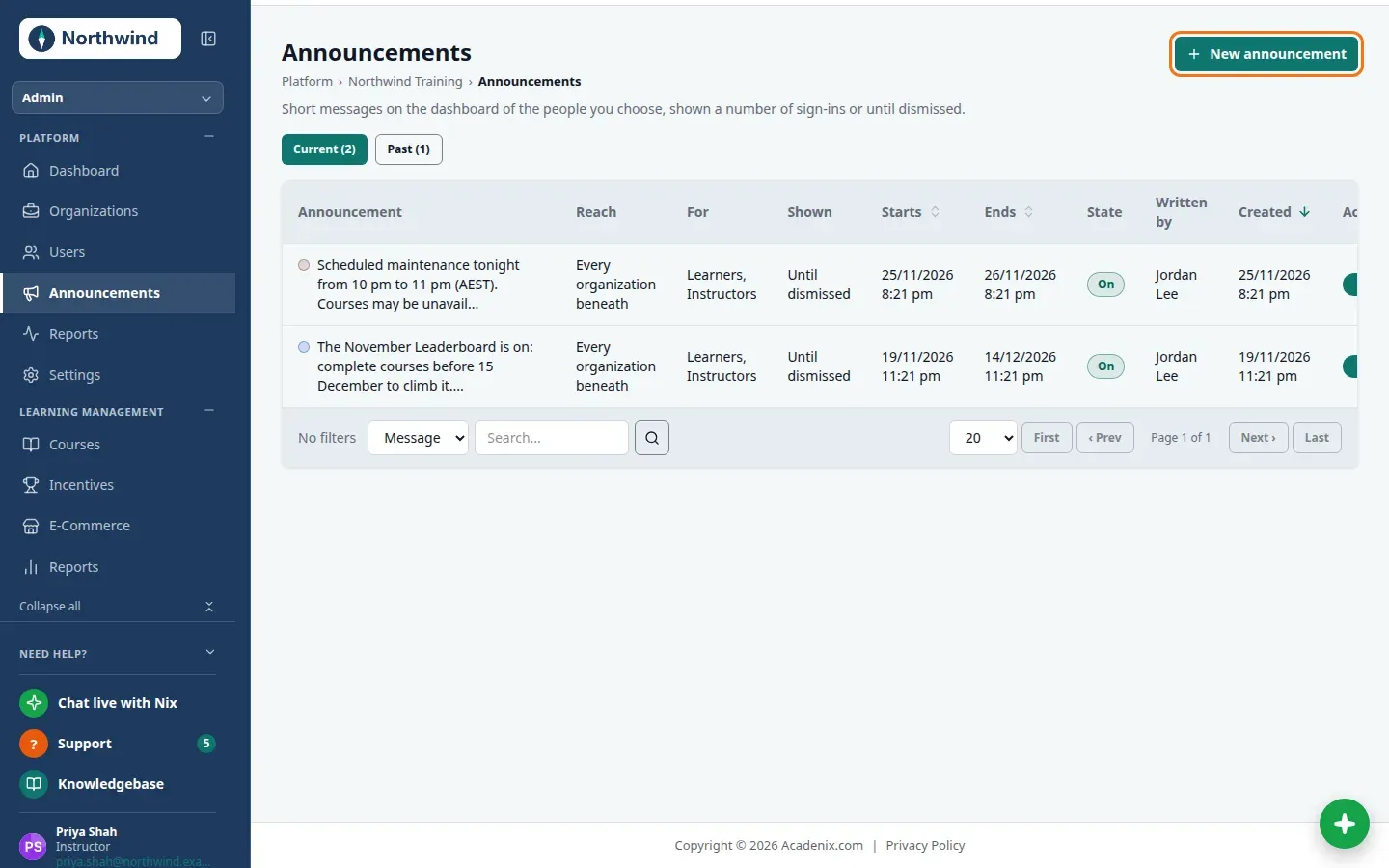
-
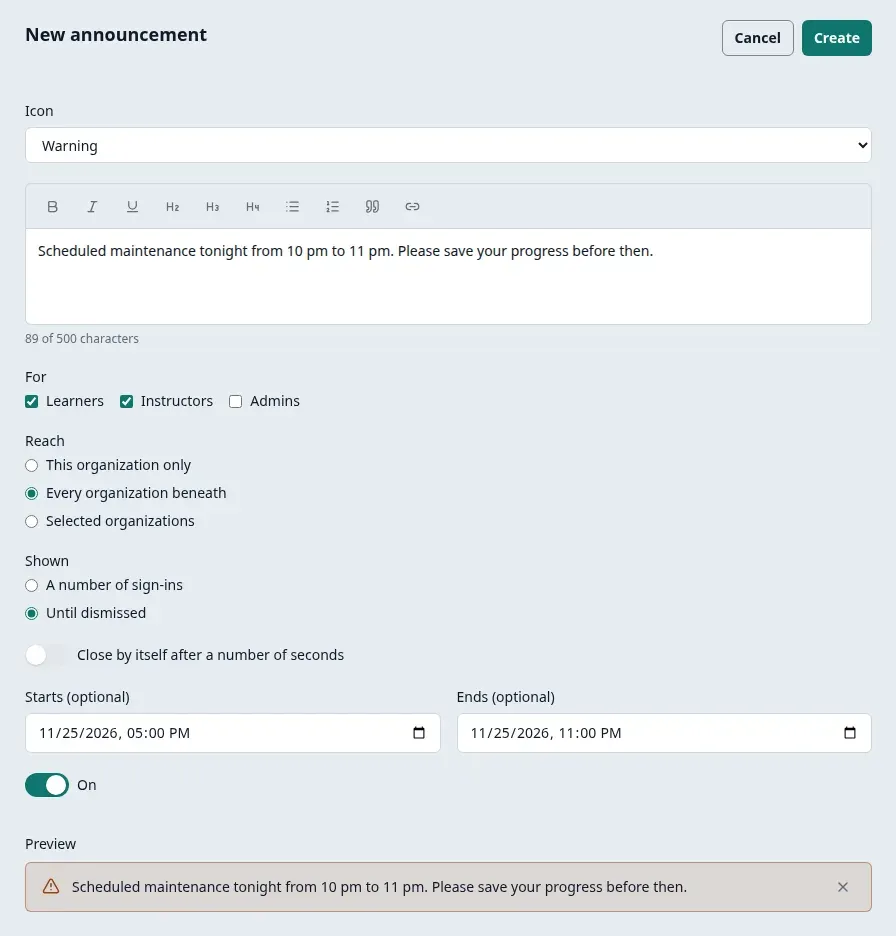
Choose an Icon: Information (blue), Warning (amber) or Attention (red). The banner’s colour follows it.
-
Write the Message, up to 500 characters. Bold, lists and links are allowed.
-
Under For, tick who sees it: Learners, Instructors, Admins.
-
Under Reach, choose This organization only, Every organization beneath, or Selected organizations. For selected ones, add each and choose With everything beneath it or On its own.
-
Under Shown, choose A number of sign-ins (1 to start with) or Until dismissed.
-
Optionally switch on Close by itself after a number of seconds (5 to 120), and set when it Starts and Ends.
-
Check the Preview, and choose Create.
Good to know
- Where it shows: on the dashboard only, newest on top, three at a time; when someone closes one, the next moves up.
- How it counts: each sign-in in which a person sees it on their dashboard counts once. Closing it hides it until they next sign in; with Until dismissed, dismissing it ends it for them.
- Changing one: choose it to edit. Tick Show again to everyone to show it again, even to people who have used up their showings. Use the switch on its row to turn it off; nothing is deleted, and Copy starts a new one from it.
- Current and Past: switched off or ended, an announcement moves to Past.
- From above: announcements from organizations above yours are listed in Current as From above. You can’t change or switch them off, and the sender isn’t named.
- Who writes them: administrators and instructors, where your organization has a plan of its own (Bronze, Silver or Gold). Administrators may change any of the organization’s announcements; instructors only their own.
- Licence warning: when a licence that won’t renew by itself ends within 30 days, administrators see an Acadenix warning on their dashboard until they dismiss it.
- Creating, editing and switching an announcement on or off are recorded in the Activity report. Announcements are never emailed.
If this didn’t help
Ask Nix to log a support ticket, or open Support under Need help?.
Copyright © 2026 Acadenix.com