
Run a competition
Available on Bronze, Silver and Gold
Competitions reward learners for finishing courses, and finishing them well. Winners get a Gold, Silver or Bronze badge, and an optional prize.
Steps
-
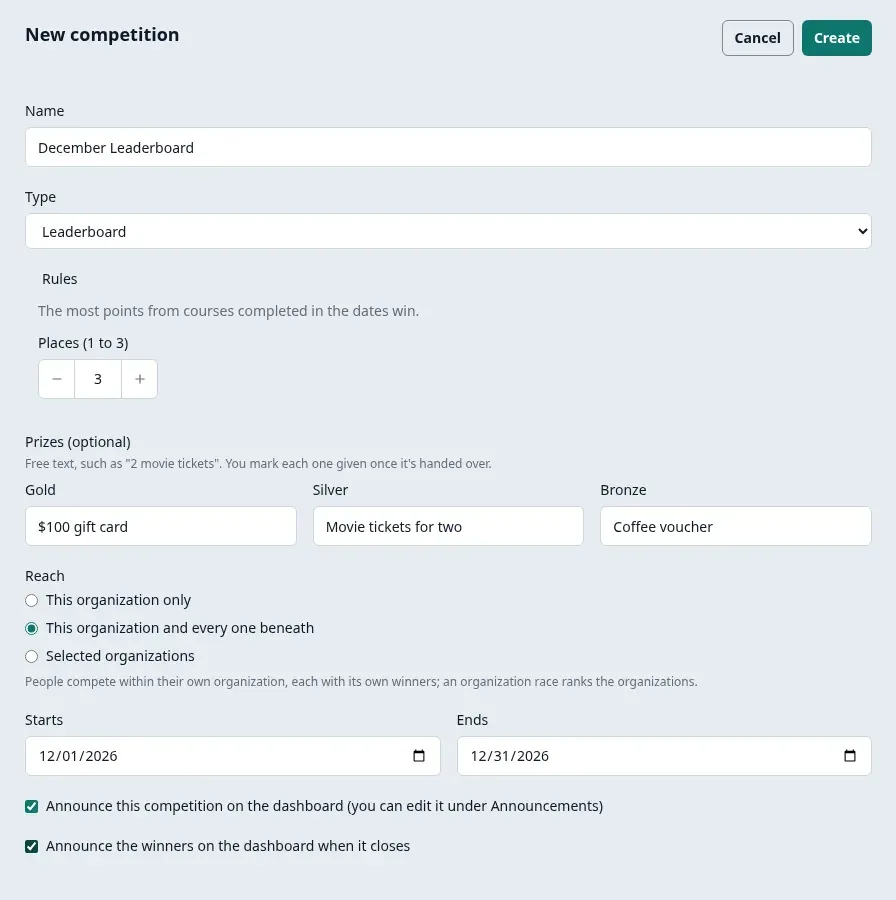
In the sidebar, choose Incentives, then New competition.
-
Enter a Name and choose the Type:
- Leaderboard: the most points from courses completed in the dates. Choose how many Places win, 1 to 3.
- Goal: everyone who completes a number of courses, or reaches an average score over a number of courses, wins the moment they do. You can limit it to chosen courses, and choose the Badge.
- Organization race: the organization with the highest share of its learners who completed every chosen course by the end date. Earlier completions count. Learners needed to rank is 5 unless you change it.
- New-course challenge: the first learners to complete one course with at least the score you set (80% unless you change it).
- Most improved: the biggest rise in average score against the same length of time before the start. Learners need at least 2 scored completions in each.
-
Enter any Prizes, such as “2 movie tickets”.
-
Choose the Reach: this organization, this organization and every one beneath, or selected organizations.
-
Choose the Starts and Ends dates.
-
Tick Announce this competition on the dashboard if you want it announced, and Announce the winners to name them when it closes.
-
Choose Create.
Who wins
- Points come from each completed course: how well the learner did, out of 100, every attempt counted.
- Leaderboard, race and most improved are decided once, when the competition closes, from the final standings.
- Goal and new-course challenge award the moment someone qualifies.
- A tie goes to whoever got there first. Nobody wins the same competition twice.
- People compete within their own organization. A competition sent to several organizations has winners in each; only a race ranks the organizations.
Good to know
-
Once it’s running, its rules are locked. You can still change the name, the prizes and a later end date. Cancel competition stops it; badges already won stay.
-
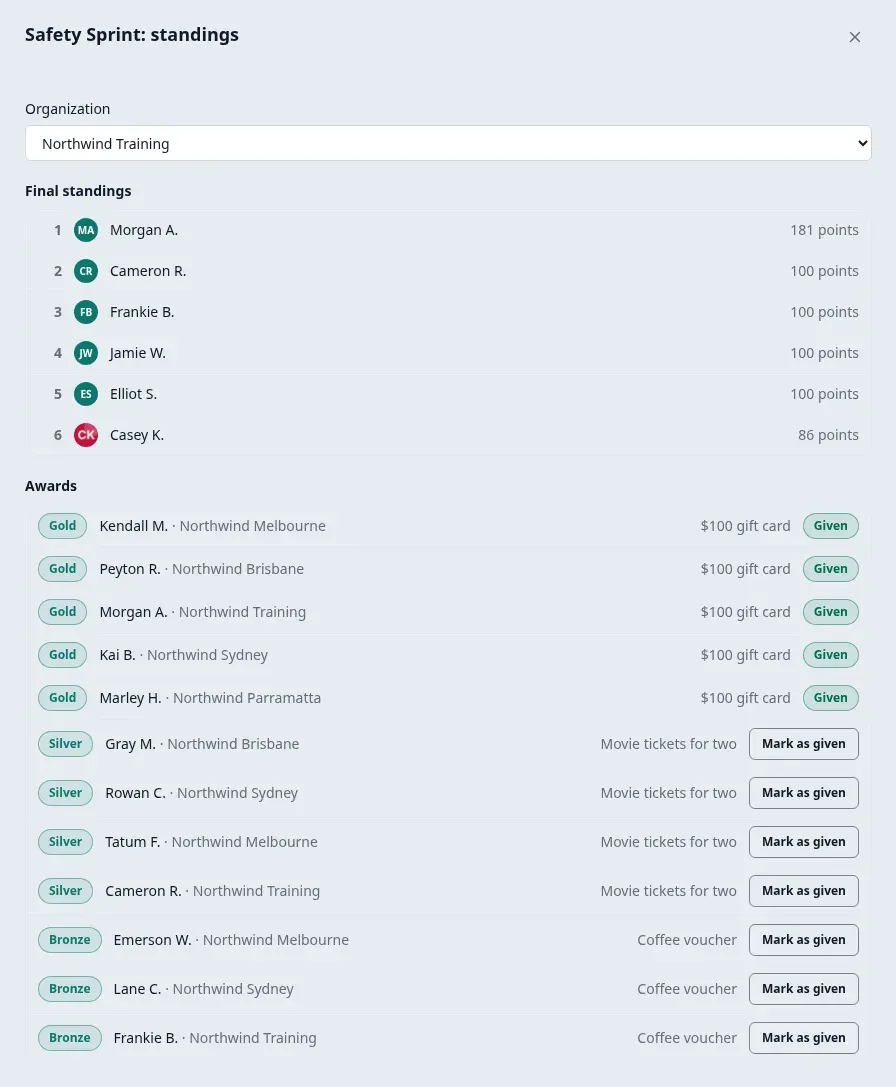
Standings shows where everyone stands, and who has won. A prize is listed until you choose Mark as given.
-
Emails: each winner gets one email. When a competition closes with prizes to hand out, this organization’s administrators get one email listing them. Nobody else is emailed.
-
Plans: Bronze runs competitions inside this organization. Sending one beneath it, and organization races, need Silver or Gold. An organization without a plan of its own takes part in competitions from above but can’t run its own.
-
Competitions from above are listed From above. You can see their standings for your organization and those beneath it.
If this didn’t help
Ask Nix to log a support ticket, or open Support under Need help?.
Copyright © 2026 Acadenix.com