
Turn Nix, the AI help assistant, on or off
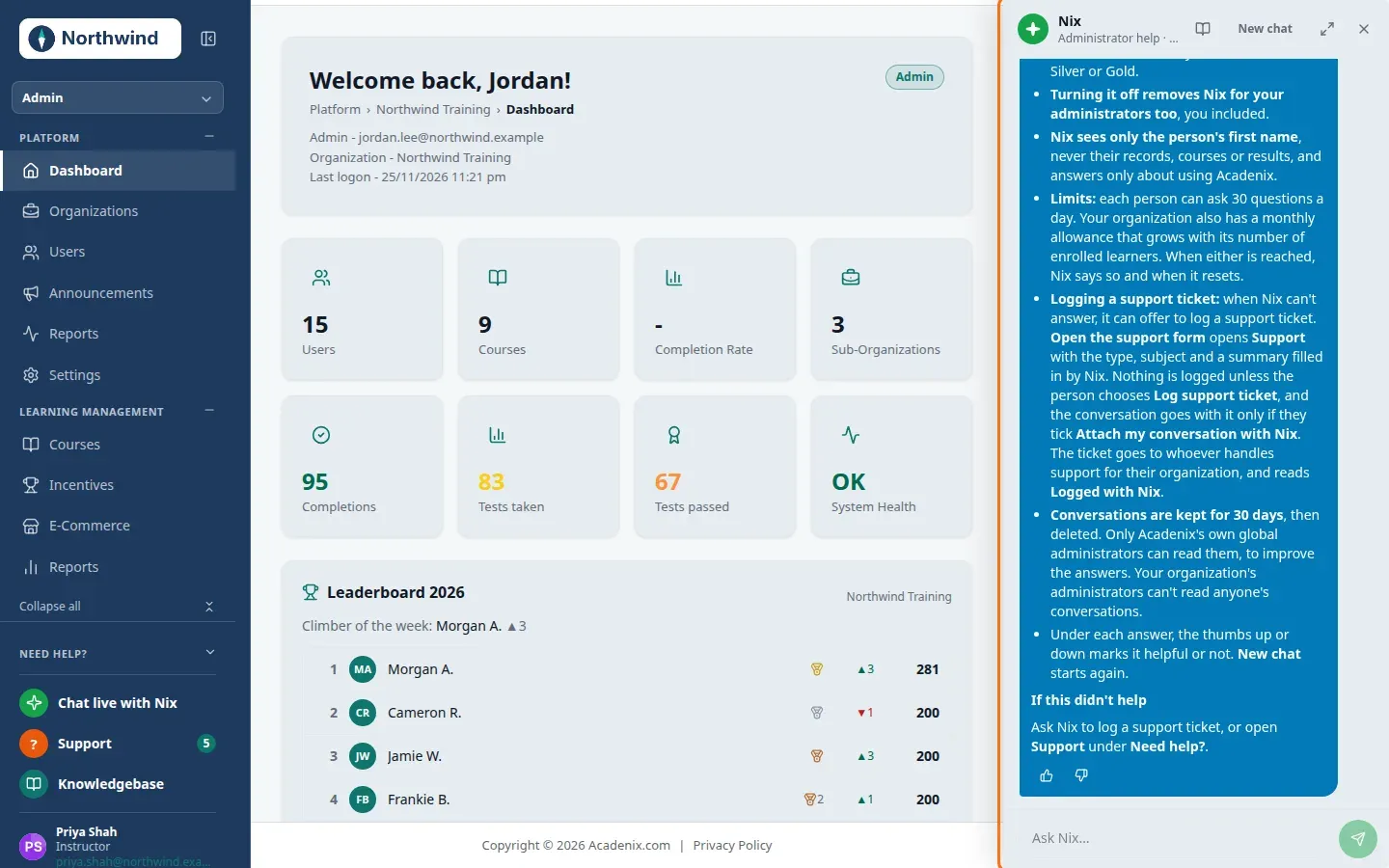
Nix answers questions about using Acadenix from the green sparkle at the bottom right of every screen, and from Chat live with Nix under Need help? at the foot of the sidebar. It is on unless your organization, or one above it, turns it off.
Who gets Nix
- Administrators and instructors, on every tier, and without a tier.
- Learners, when your organization’s own licence is Bronze, Silver or Gold, or, with no licence of its own, when the licence it uses from above is Silver or Gold.
Steps
-
In the sidebar, choose Settings. The Organization tab opens.
-
Find Nix, AI help. In effect says whether it is On or Off, and where that comes from.
-
If you follow the organization above, choose Override for this organization.
-
Switch AI help on or off, then choose Save.
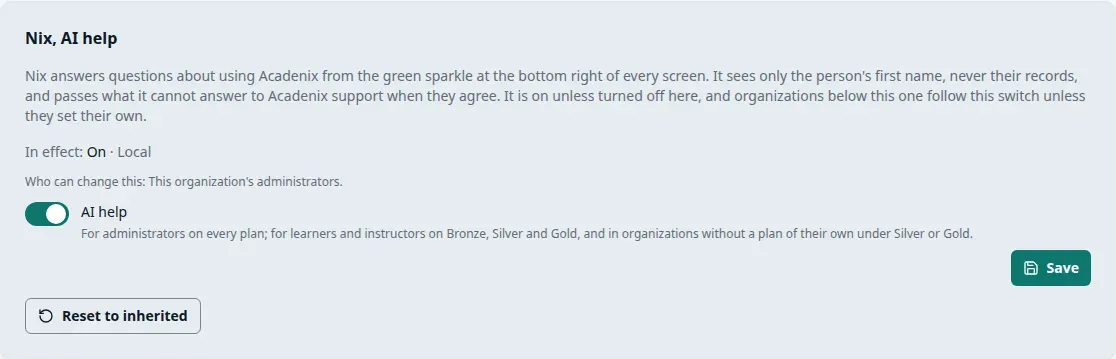
To follow the organization above again, choose Reset to inherited.
Good to know
- The Knowledgebase. Every article Nix answers from is also on the public Acadenix Knowledgebase. Read more under an answer opens the article it came from; Knowledgebase under Need help?, and the book at the top of the Nix window, open the article for the screen and tab you’re on.
- Organizations beneath yours follow your switch unless they set their own. Their learners get Nix where their own licence is Bronze, Silver or Gold, or, without one, where the licence they use from above is Silver or Gold.
- Turning it off removes Nix for your administrators too, you included.
- Nix sees only the person’s first name, never their records, courses or results, and answers only about using Acadenix.
- Limits: each person can ask 30 questions a day. Your organization also has a monthly allowance that grows with its number of enrolled learners. When either is reached, Nix says so and when it resets.
- Logging a support ticket: when Nix can’t answer, it can offer to log a support ticket. Open the support form opens Support with the type, subject and a summary filled in by Nix. Nothing is logged unless the person chooses Log support ticket, and the conversation goes with it only if they tick Attach my conversation with Nix. The ticket goes to whoever handles support for their organization, and reads Logged with Nix.
- Conversations are kept for 30 days, then deleted. Only Acadenix’s own global administrators can read them, to improve the answers. Your organization’s administrators can’t read anyone’s conversations.
- Under each answer, the thumbs up or down marks it helpful or not. New chat starts again.
If this didn’t help
Ask Nix to log a support ticket, or open Support under Need help?.
Copyright © 2026 Acadenix.com