
Course deadlines, expiry and lapsed training
Some courses give you a set time to finish, and some completions are valid only for a while. Courses shows both on the course.
A deadline to finish
- The course page shows Time to complete, and Courses shows how many days you have left and by when.
- You may get an email a few days before the deadline.
- If it passes before you finish, the course shows Expired — not completed and you can’t carry on with it. If the course is still open to you, choose Re-Enroll to start again. Otherwise, ask your administrator.
A completion that lapses
-
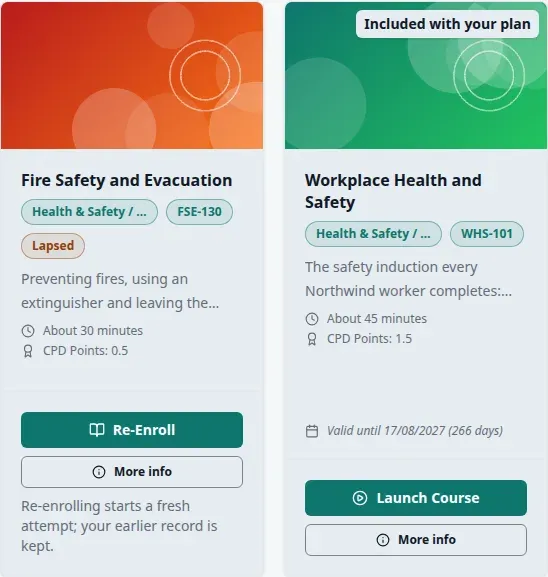
If the course’s Certificate is valid for a set time, Courses shows Valid until and the date, and so does your certificate.
-
You may get an email before it lapses.
-
When it lapses, the course and your certificate show Lapsed. Choose Re-Enroll to take the course again. Some courses enrol you again automatically and email you.
Taking a finished course again
A completion is final. Some courses let you enrol again after you’ve finished: you’ll see Re-Enroll, or the date re-enrolment opens. Otherwise the course shows Completed.
Good to know
- Re-enrolling starts afresh: every unit from the beginning, and the test with all its attempts. Your earlier completion and certificate are kept, and ended enrolments are listed under Course history on Achievements.
- Lapsed — course archived means the course takes no new enrolments. Ask your administrator.
- If you were withdrawn from a course and it’s offered to you again, Enrol again carries on where you left off.
- If the course has a price, re-enrolling is a new purchase.
If this didn’t help
Ask Nix to log a support ticket, or open Support under Need help?.
Copyright © 2026 Acadenix.com