
Handle support tickets
Anyone can log a support ticket from Support under Need help?. A ticket goes to the nearest organization, at or above the one it was logged in, with an administrator who has Can do support ticked on their profile. Those administrators handle it. If no organization has one, it goes to Acadenix.
To log a ticket yourself, see Log a support ticket. It works the same for administrators and instructors.
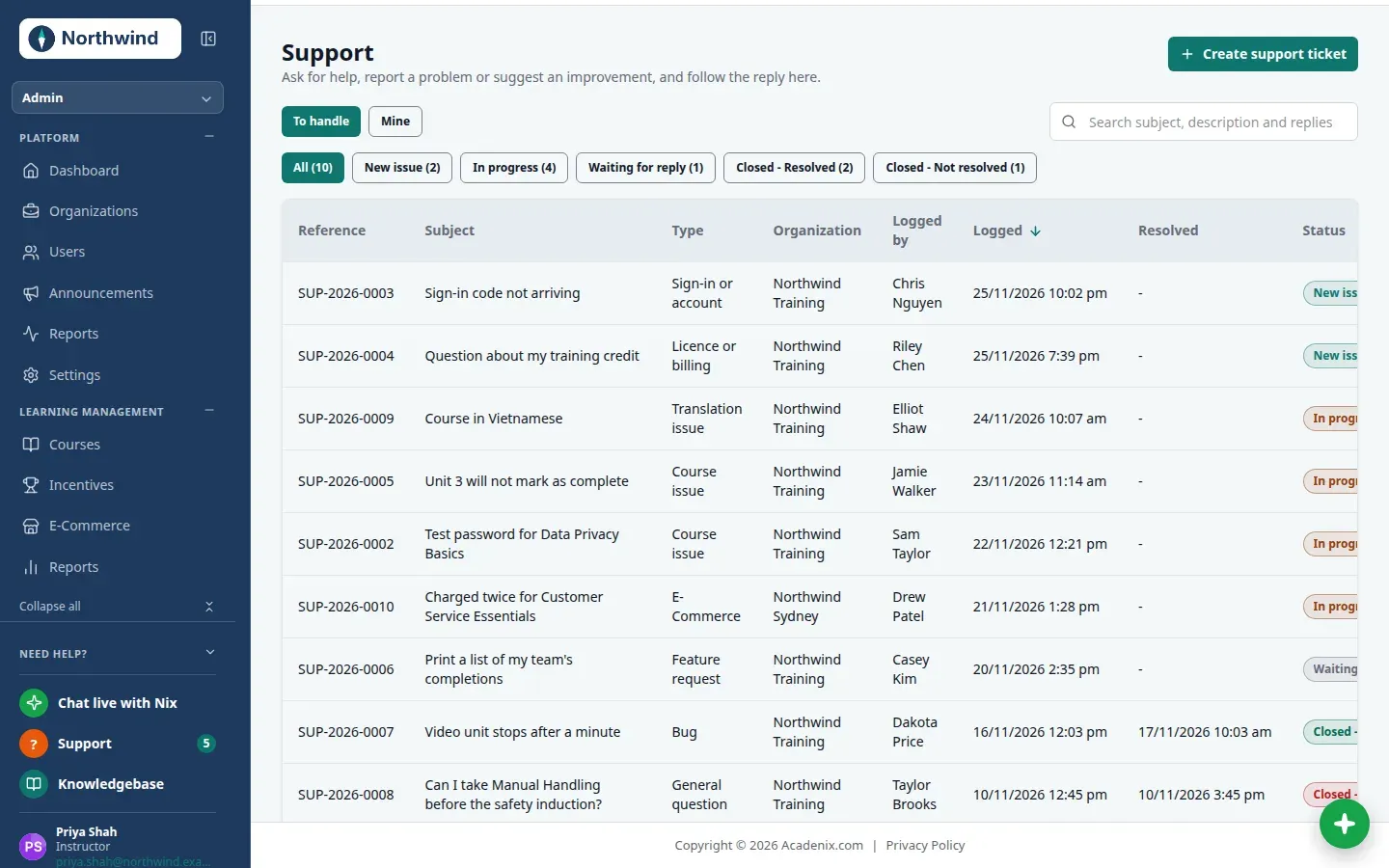
The list
- To handle shows the tickets you handle; Mine shows those you logged or are copied in on. Support opens on whichever you used last.
- The role you’re using decides. You handle tickets in an administrator role. Switched to Learner or Instructor, you see only Mine, as anyone else would, and the count beside Support leaves out tickets you handle.
- The status buttons show New issue, In progress, Waiting for reply, Closed - Resolved and Closed - Not resolved, each with its count.
- Search finds words in the subject, the description and the replies.
- Acadenix’s global administrators who do support also see All organizations, in the Global Admin role.
Work a ticket
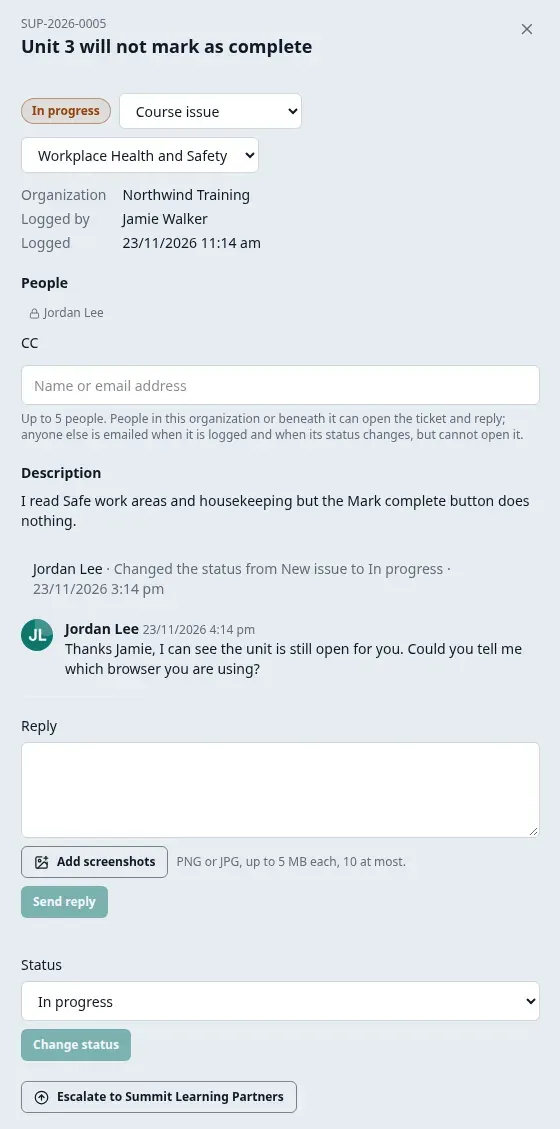
Choose a ticket to open it on the right. If Nix is open, the ticket sits to its left.
- Reply. Your first reply moves a new ticket to In progress. The person who logged it is emailed your reply. A reply from them, or from someone copied in, moves a ticket that was Waiting for reply back to In progress.
- Status. Choose the new status and Change status. Closing it needs a Closing note, which is emailed with the change. A closed ticket is read-only for the person who logged it; only you can reopen it.
- Type. Change it if they chose the wrong one.
- People. Copy more people in, up to five.
The person who logged it, everyone copied in and the other handlers are emailed each status change.
Escalate a ticket
When you can’t resolve a ticket, choose Escalate to and the organization above, say why, and choose Escalate. Its administrators who do support are emailed and take over its status. You can still read it and reply. The person who logged it isn’t told. A ticket can’t be handed back down, and Acadenix is the last step.
Good to know
- Logged with Nix means Nix filled in the form from a conversation. The conversation is attached only if the person chose to.
- Status changes, escalations and type changes are in the Activity report, under support.
- Impersonating someone, you see their Support read-only.
- Tickets are never deleted.
If this didn’t help
Ask Nix to log a support ticket, or open Support under Need help?.
Copyright © 2026 Acadenix.com