
What an instructor can do
An Instructor runs training: they look after learners, build and publish courses and read how learning is going, without your organization’s settings, money, structure or anyone’s role. Give someone the role with Direct role when you add them, or from their row on Users.
What instructors have
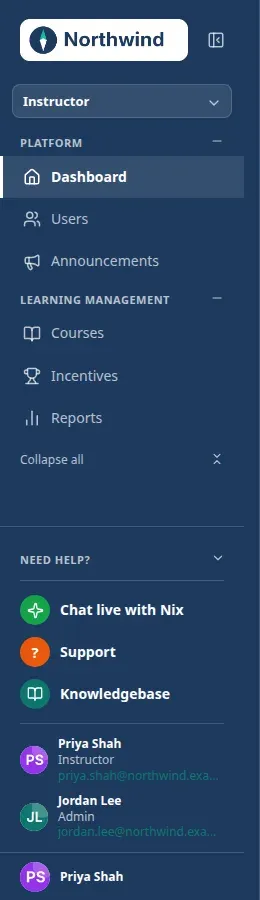
- Dashboard, Users, Announcements, Courses and Reports, for your organization and the organizations beneath it, as an administrator in their place has. They change only the announcements they wrote.
- Users: everyone is listed. Instructors add, edit, suspend, archive, restore and move learners, approve their registrations and impersonate them. They add and move people as Learner only.
- Courses: everything an administrator can do, including Units, Tests, Categories and Certificate Templates, except the Pricing tab.
- Reports: Learning Management’s reports. Platform’s Users and Activity reports are not theirs.
What instructors don’t have
- Organizations, Settings (with Billing and Stripe) and E-Commerce.
- Changing anyone’s role, acting on an administrator or another instructor, or deleting an account.
- The invite link and decisions on learning-history copies.
Asking for any of these is refused, not only left off the menu.
Good to know
- Their own learning: instructors switch to Learner at the top of the sidebar to see Courses and Achievements.
- Nix answers instructors as it answers administrators, and says when something needs an administrator instead.
If this didn’t help
Ask Nix to log a support ticket, or open Support under Need help?.
Copyright © 2026 Acadenix.com