
Choose which organizations receive a course
A course you own can stay in your organization, go to every organization beneath yours, or go to the ones you choose. It never reaches organizations that aren’t beneath yours.
Steps
-
In the sidebar, choose Courses, open the course and choose the Distribution tab. (Or choose Distribution from its … menu.)
-
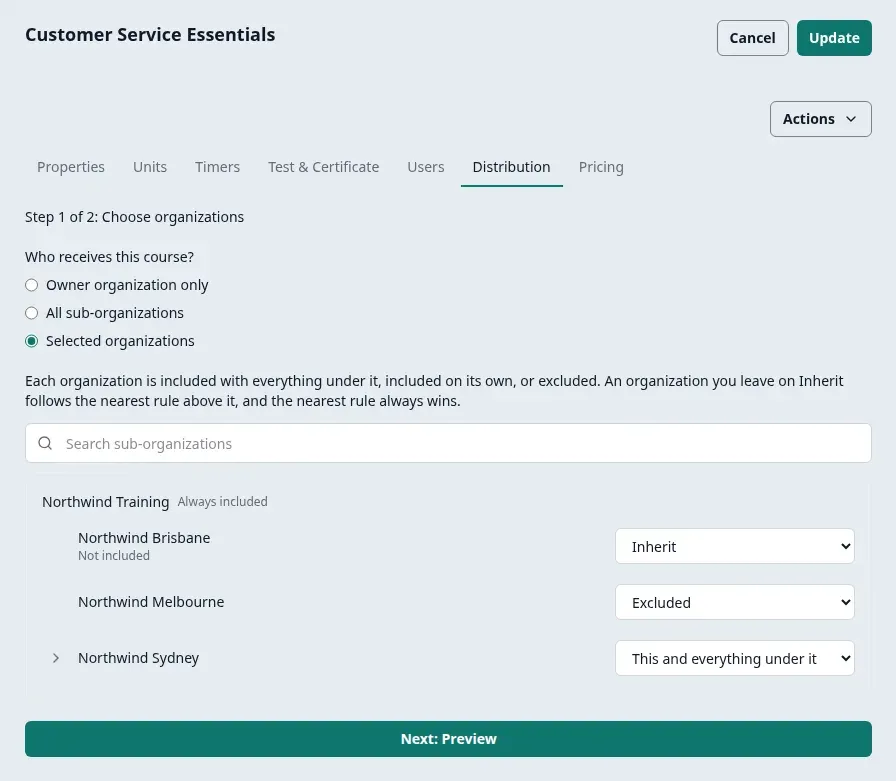
Under Who receives this course?, choose Owner organization only, All sub-organizations or Selected organizations.
-
For the last two, set any organization in the tree to This and everything under it, This organization only or Excluded. Leave the rest on Inherit to follow the nearest rule above them. Search sub-organizations finds one.
-
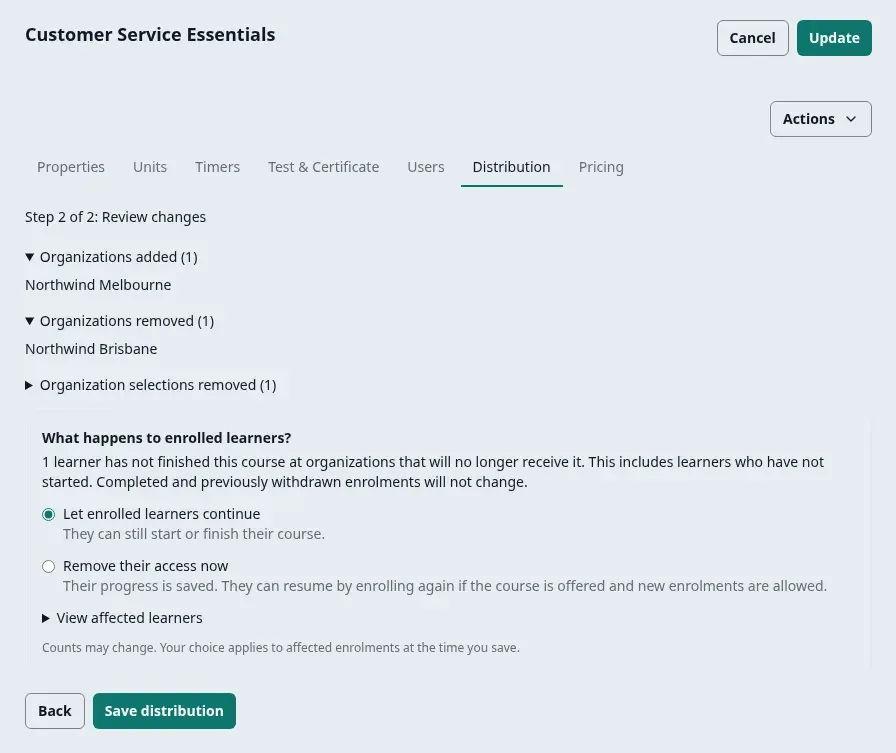
Choose Next: Preview to see the Organizations added and Organizations removed.
-
If learners who haven’t finished would lose the course, choose Let enrolled learners continue or Remove their access now.
-
Choose Save distribution.
Good to know
- A new course goes to all sub-organizations.
- The nearest rule wins. Exclude an organization and include one beneath it, and only that one gets the course.
- Organizations added later beneath an included organization get the course automatically; beneath an excluded one, they don’t.
- Removing access keeps progress. Those learners can pick up again by enrolling if the course reaches them again. Completions and certificates are never affected.
- Courses beneath yours that reuse its units are shown too: choose Let those courses keep this unit or Remove this unit from those courses now.
- An organization that receives a course can’t edit it or pass it on, but can stop new enrolments of its own; see Unpublish, archive or hide a course.
- Only the organization that owns a course can change who receives it, and it needs a plan of its own: Bronze, Silver or Gold.
If this didn’t help
Ask Nix to log a support ticket, or open Support under Need help?.
Copyright © 2026 Acadenix.com