
Transform a course into another language and industry
Available on Bronze, Silver and Gold
Transform makes a new course from one your organization owns, in another language and, if you like, for another industry. Nix translates and adapts every unit. The original course is not changed, and the new one stays in Draft until you publish it.
Steps
-
In the sidebar, choose Courses, open the course, and choose Transform from its actions.
-
Choose the Language, the Region where the language offers one, and the Industry, or leave All industries.
-
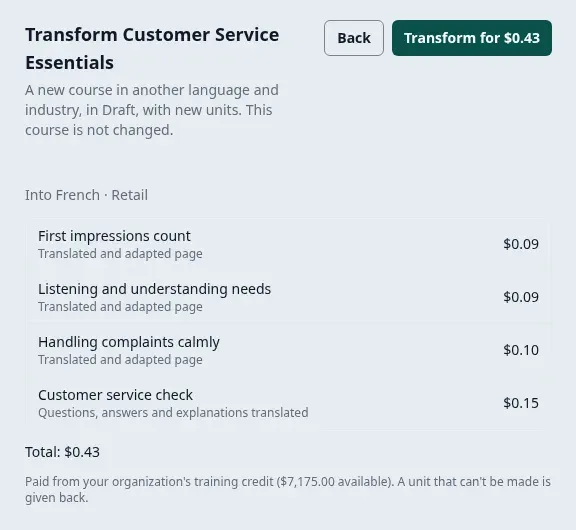
Choose See the estimate. Each unit shows what it becomes and its price, and the total shows against your organization’s training credit. Nothing is charged yet.
-
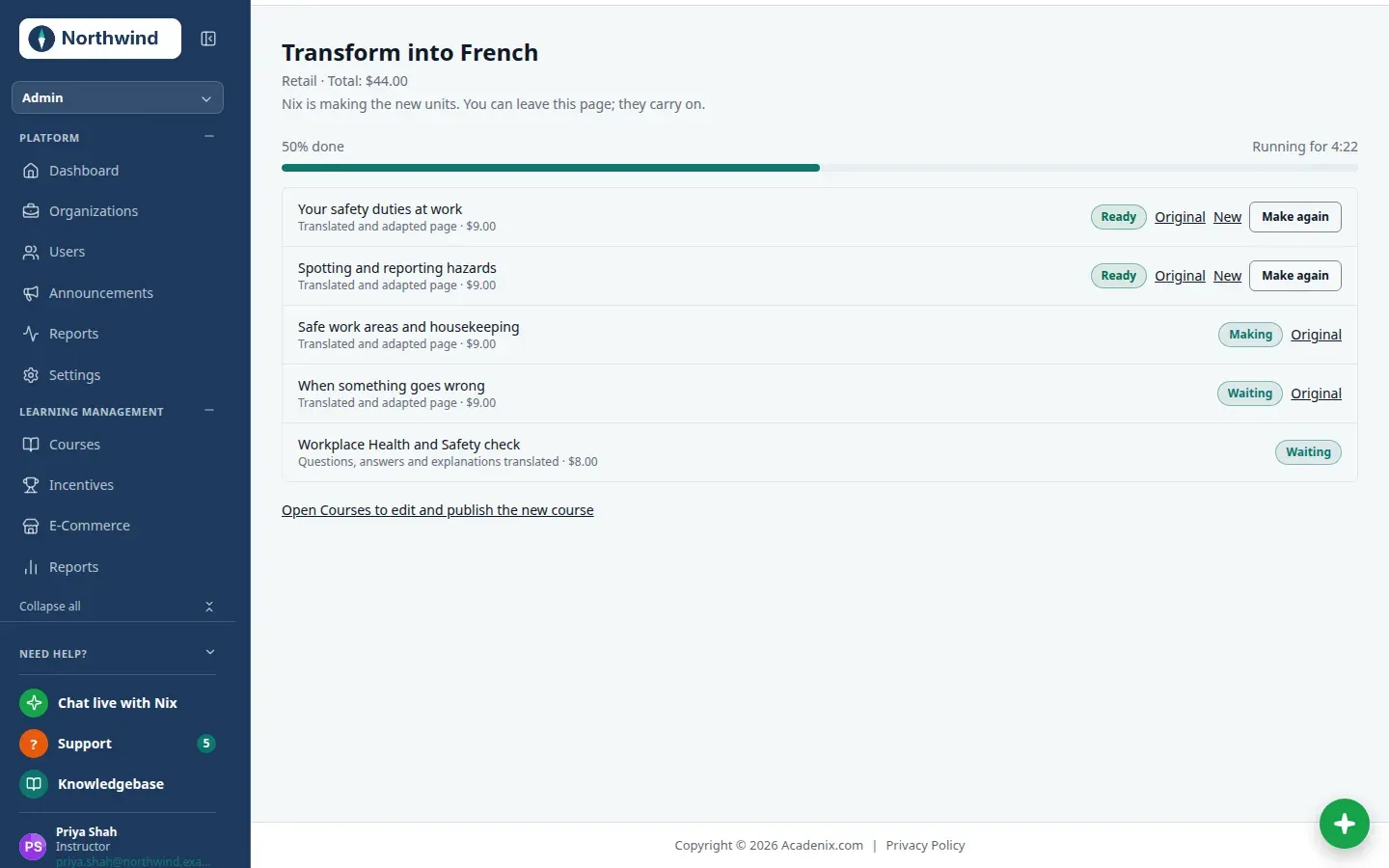
Choose Transform for the total. The new course is made in Draft and the review page opens. Nix makes the units in the background: you can leave the page and come back.
-
On the review page, open each unit’s Original and New to compare them. Make again asks Nix to do a unit again with your instruction, at its price; Try again remakes a unit that failed.
-
When you’re happy, open Courses, check the new course, and publish it.
What each unit becomes
- Instruction pages are translated and adapted, formatting kept.
- Units made with Nix are rewritten and narrated again in the new language, with their avatar.
- SCORM and web packages from elsewhere are re-created as units made with Nix from their text. Their own design and interactions don’t carry over.
- PDFs become new PDFs of the translated text in a plain layout. Replace one with your own on Units Library if you need its design.
- Videos get captions in the new language; the picture and voice stay. Dubbing isn’t available yet.
- The test is copied with every question, answer and explanation translated.
- Audio units are not carried over.
Good to know
- Only courses your organization owns can be transformed, not courses received from above.
- Prices: units made with Nix at the course maker’s rates; translated text per 1,000 words; captions per minute of video.
- A unit that fails isn’t charged: its price goes back to your credit.
- Instructors can see the estimate; an administrator confirms it, because it is paid from the organization’s training credit.
If this didn’t help
Ask Nix to log a support ticket, or open Support under Need help?.
Copyright © 2026 Acadenix.com