
Log a support ticket
When something isn’t working, or you have a question Nix can’t answer, log a support ticket. It goes to the people who handle support for your organization, and you follow their replies in Acadenix.
-
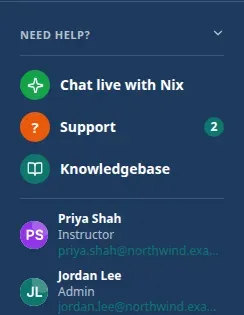
Choose Support, the orange ?, under Need help? at the bottom of the menu. The number beside it counts replies and status changes you haven’t seen.
-
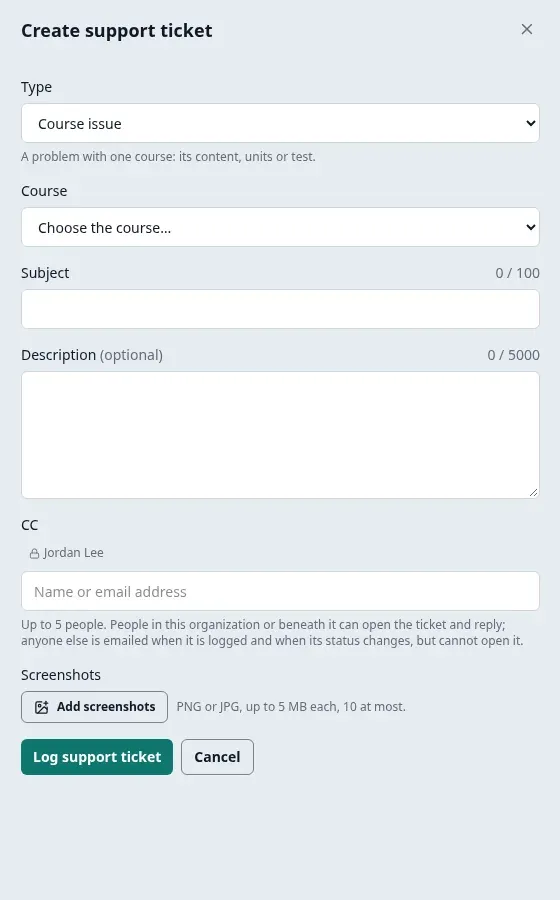
As a learner, the new ticket opens straight away. Otherwise, choose Create support ticket.
-
Choose the Type. The line under it says what each type covers. For a Course issue, choose the course too.
-
Write a Subject of up to 100 characters. The Description is optional, up to 5000 characters.
-
Under CC, add up to five other people by name or email address. The people who handle support are already on it. People in your organization can open the ticket and reply; anyone else is emailed when it is logged and when its status changes.
-
Under Screenshots, add PNG or JPG images of up to 5 MB each, ten at most. Remove one with its × before you log the ticket; once logged, screenshots stay with it.
-
Choose Log support ticket. You’re emailed a confirmation with its reference, such as SUP-2026-0042.
Follow a ticket
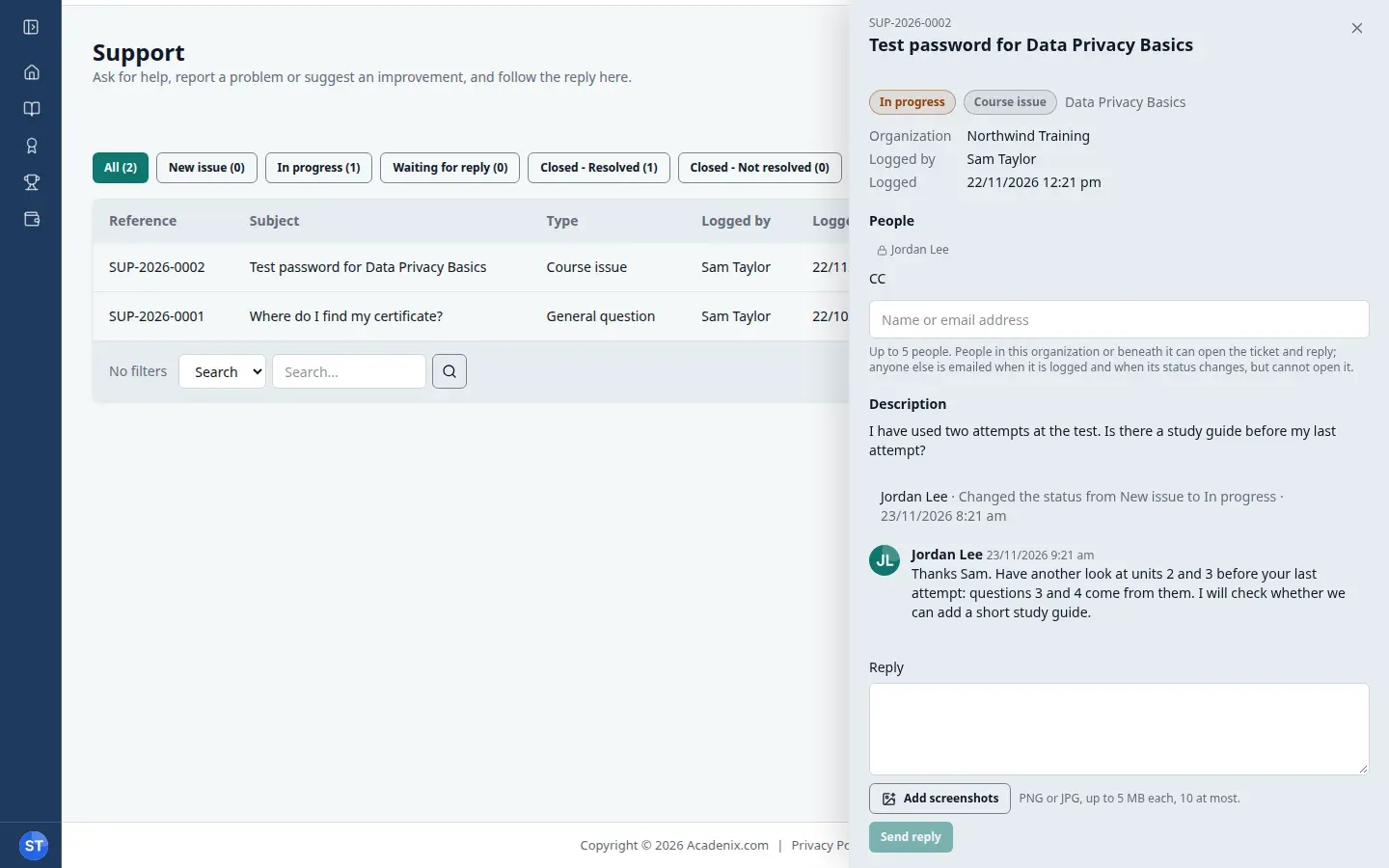
Your tickets are listed newest first. The buttons above the list show them by status: New issue, In progress, Waiting for reply, Closed - Resolved and Closed - Not resolved. Search finds words in the subject, the description and the replies.
Choose a ticket to open it on the right. Write in Reply, add screenshots if they help, and choose Send reply. If the ticket was waiting for you, it moves back to In progress. You’re emailed when someone handling it replies, and when its status changes.
Good to know
- Nix can log a ticket for you: see Ask Nix for help.
- A closed ticket can’t be replied to. If the problem comes back, log a new one.
- You can log up to ten tickets a day.
- Replying to a support email does nothing. Reply in Acadenix instead.
If this didn’t help
Ask Nix to log a support ticket, or open Support under Need help?.
Copyright © 2026 Acadenix.com